


Fender Play: Music Lessons
4.42.88K Reviews
App Specs
- Version
- 8.0.1
- Updated On
- License
- Free
- Downloads
- 1,000,000+
- Developer
- Fender Musical Instruments Corporation
- Categories
- Education
- Platform
- Android
Screenshots
 Analysis by AppCompare
I think Fender Play works best when you want a clear route into playing rather than a pile of disconnected lessons. It is an education app from Fender Musical Instruments Corporation, built around guided instruction for guitar, bass and ukulele. I like that focused approach: it gives a beginner somewhere to start and a reason to return, while still asking you to put in the practice yourself. The lessons can make learning feel manageable, but they cannot correct your posture or hear every mistake the way an in-person teacher can.
That distinction matters when choosing an app. Fender Play is free to download, though in-app purchases range from $4.99 to $149.99 per item, so I would check what access suits you before treating it as a no-cost course. It is rated for Everyone, has a 4.5 average from around 13,000 ratings, and has passed one million installs. Those figures suggest it has found a sizable audience, but the more important question is whether its guided, video-led style fits how you want to learn.
A useful routine, not a magic shortcut
The strongest reason I would recommend Fender Play: Music Lessons is that it gives practice some shape. When I have only a short window, it is easier to follow one lesson and work on a specific skill than to search video after video for a suitable explanation. A simple routine might be to tune up, review a technique, play along with a song section, then repeat the part that still feels awkward. That kind of focused session is more realistic on a busy weekday than promising yourself an hour of practice and never starting.
The song-led approach can also help with motivation, especially for someone who loses interest in exercises without hearing how they connect to music. Still, songs should not replace the less exciting work. Chord changes, steady timing, clean fretting and relaxed movement take repetition, and the app cannot make that repetition disappear. I would use a familiar song as a reward and a practical test, while giving basic technique its own attention.
Choosing an instrument and setting expectations
Having guitar, bass and ukulele lessons under one roof makes the app useful if you are still deciding which instrument feels right. I would choose one to focus on first rather than hopping between all three whenever a lesson gets difficult. The instruments ask for different habits: a guitar learner may be working through chord shapes and strumming, while a bass learner needs to pay close attention to timing and note clarity. A structured path is most valuable when you give it enough consistency to build those habits.
Fender Play is aimed at more than absolute beginners, but I would treat the skill-level choice as a starting point, not a verdict on your ability. If you already know some chords, try a lesson and see whether the explanation adds something useful. If it feels too basic, move on; if the technique is unfamiliar, slow down and repeat it. That is a better test than picking the most advanced-looking option and getting frustrated when the fundamentals turn out to matter.
Where an app helps—and where a teacher wins
Compared with free lesson videos scattered across the internet, a guided course can save time by giving you a sequence instead of making you decide what to learn next. Fender Play’s video format also lets you revisit a demonstration at your own pace. The trade-off is that a video lesson remains one-way instruction: it can show a hand position, but it cannot reliably tell you that your wrist is tense or that your instrument sounds wrong in the room.
Worth Reading Before You Choose

EA SPORTS FC Mobile 26 Is a Bigger Football Game, but It Takes Time

Flipboard Shows What News Apps Must Do Beyond the Feed

Switching to Android Auto Means Rethinking Your Driving Routine

Google Calendar Makes a Crowded Week Easier to Manage

Ludo King Makes the Most of the Minutes Between Plans

Baby Panda World Brings Quick Play to Modern Phones, but Its Game Library Feels Busy
If you are preparing for an audition, correcting a stubborn technique problem, or trying to understand music theory in depth, a qualified teacher or a more specialized course may be a better fit. I would also look elsewhere if you mainly want open-ended song tutorials without a prescribed learning path. For someone who benefits from a planned progression and can notice when something feels uncomfortable, though, an app can be a convenient practice companion rather than a substitute for every kind of teaching.
One practical tip is to keep the instrument ready before opening a lesson. Tuning and settling in can otherwise become an excuse to stop before practice begins. Another is to replay a short section after trying it yourself, rather than watching several lessons in a row. Watching can feel productive, but the useful test is whether you can reproduce the movement without staring at the screen. Keep the volume comfortable and take a break if your hands become sore; persistence is useful, but pushing through pain is not a good practice strategy.
What to consider before paying
The app is free, with optional in-app purchases, so it is sensible to explore how its lesson style suits you before committing to a purchase. Consider how often you expect to practise and whether a guided video course is the kind of support you will actually use. Someone who practises regularly may get more value from a structured path; someone who only picks up an instrument now and then may prefer occasional free tutorials or a single lesson with a local teacher.
It is also worth thinking about your setup. A phone or tablet can make a close-up demonstration convenient, but you still need room to hold the instrument comfortably and see the lesson without repeatedly interrupting your playing. For a first session, I would set the screen where it is easy to glance at, choose a small goal, and stop once concentration fades. Short, attentive practice is more useful than letting a lesson run in the background while doing something else.
Fender Play is available for Android and iOS, and its current version is 7.4.7, with a minimum operating-system requirement of 9. It was released on March 21, 2018, and the app continues to serve learners looking for instruction in several popular instruments. Those details are useful when checking whether it fits your device, but they do not change the central decision: you need to enjoy learning from demonstrations and be willing to practise between them.
Getting Started with Fender Play
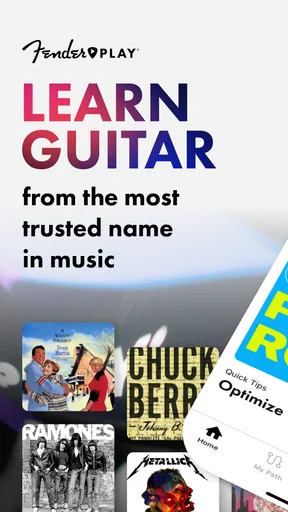
First things first, downloading the app was a breeze. It's available on both Android and iOS, so no excuses there! Once installed, the setup was pretty smooth. I was greeted with a clean, user-friendly interface that even my grandma could navigate. Seriously, it’s that intuitive.
After signing up, you’re prompted to choose your instrument. I went with the guitar because, let’s be honest, who doesn’t want to shred like Hendrix? From there, you can select your skill level. Whether you’re just starting out or know your way around a fretboard, Fender Play caters to all levels.
The Learning Path
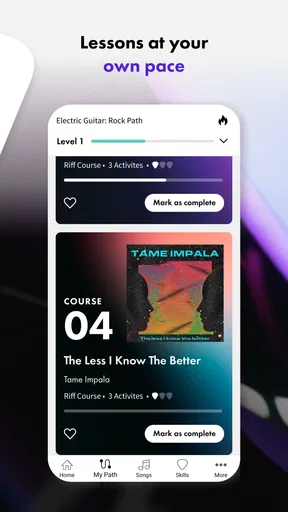
What I loved about the app is its structured learning path. It breaks down lessons into bite-sized chunks, making it less overwhelming. You start with the basics—learning simple chords and strumming techniques—and gradually move on to more complex stuff. The progression felt natural, and I never felt rushed.
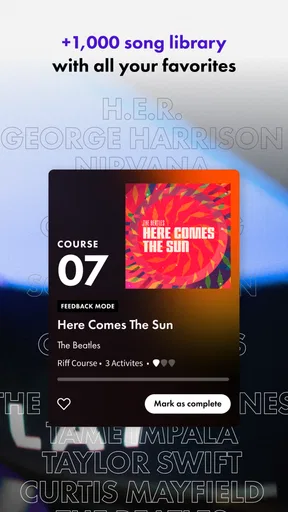
A cool feature is the song-based approach. Instead of grinding through endless scales, you’re learning through playing actual songs. This kept me motivated because, let’s face it, playing "Smoke on the Water" is way more fun than practicing scales for hours.
Video Lessons and Expert Instructors
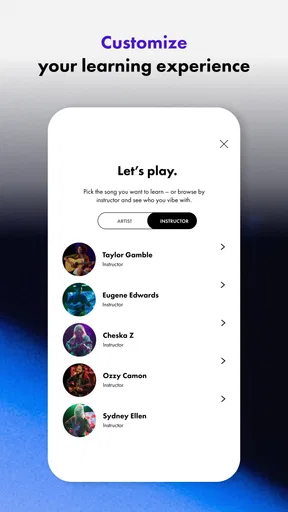
The video lessons are top-notch. They’re shot in HD, and you can clearly see what’s happening on the fretboard. Plus, the instructors are engaging and really know their stuff. It’s like having a personal music tutor in your pocket. I found myself replaying some lessons just because they were so well-explained.
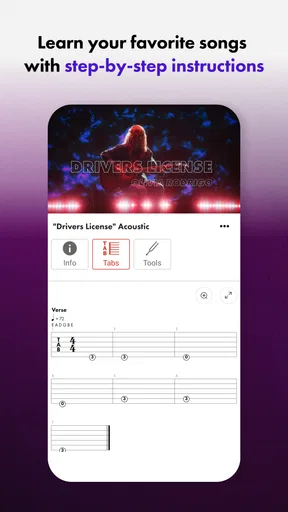
Another neat feature is the split-screen view, which allows you to see both the instructor and the tablature simultaneously. This made learning much easier and saved me from constantly pausing and rewinding.
Practice Tools and Progress Tracking
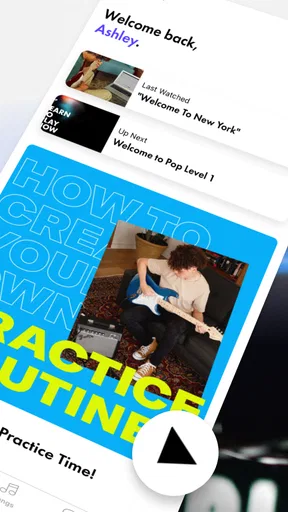
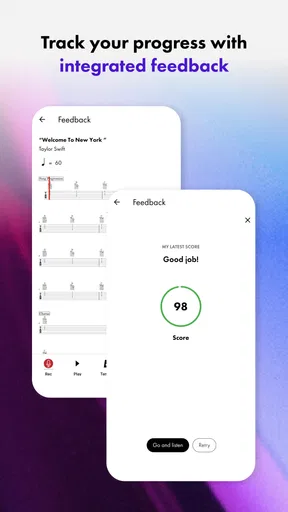
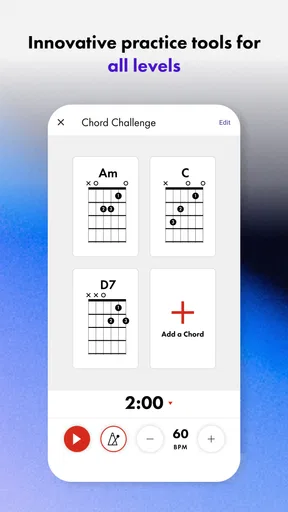
One of the highlights for me was the practice tools. The app includes a metronome and a tuner, which is super handy. I also appreciated the progress tracking feature. It keeps tabs on what you've learned and what’s next, giving you a sense of accomplishment as you tick off each lesson.
Plus, there are weekly challenges and goals to keep you on track. It’s like having a little coach who keeps pushing you to improve. The app even sends reminders to practice, which I found helpful on those lazy days when I needed a nudge.
Community and Support
Learning an instrument can feel like a solitary journey, but Fender Play includes a community aspect. You can connect with other learners, share your progress, and even get tips from more experienced players. It's a nice way to stay motivated, knowing others are on the same journey as you.
Customer support is also pretty solid. I had a minor issue with logging in once, and their support team was prompt and helpful. It’s reassuring to know that assistance is just a click away if needed.
Final Thoughts
All in all, Fender Play: Music Lessons is a fantastic tool for anyone looking to learn an instrument. It’s well-designed, easy to use, and packed with features that make learning enjoyable. Whether you’re a weekend warrior or aspiring rockstar, this app has something for you.
So, if you're ready to start your musical journey, why not give Fender Play a shot? With its structured lessons, expert instructors, and supportive community, you’ll be jamming in no time. Just remember to have fun, and don’t be too hard on yourself. After all, every rock legend started as a beginner!
Who I would recommend it to
I would point a first-time player toward Fender Play if they want a gentle nudge to practise and prefer seeing a technique demonstrated rather than trying to decode written instructions alone. It also suits someone returning to an instrument who wants a refresher and a way to rebuild a routine without immediately arranging private lessons. The best results will come from learners who are comfortable pausing, repeating and listening carefully to their own playing.
I would be more cautious recommending it to a player who needs personal feedback on tone, posture or persistent pain, or to someone who expects an app to make practice automatic. It can offer structure and encouragement, but progress still depends on time with the instrument. If you already have a teacher, I would treat the lessons as extra practice material and follow your teacher’s advice when the two approaches differ.
My verdict after weighing the trade-offs
What makes the app appealing is not that it promises instant fluency; it is that lessons, songs and practice aids can make the next useful step easier to find. The main compromise is the same one built into video learning: the instruction is convenient and repeatable, but not truly tailored to your hands or your sound. Keeping that in mind makes it easier to use the app well rather than expect it to do a teacher’s job.
If you want a guided way to begin guitar, bass or ukulele, and you are willing to practise actively instead of just watching, I think Fender Play is worth exploring. If your priority is direct correction, a highly specialized curriculum or completely self-directed browsing, another learning route may suit you better. For a learner who wants structure without turning every practice session into a major project, it is a thoughtful place to start.
Pros
- User-friendly interface for easy navigation.
- Wide range of instruments to choose from.
- High-quality video lessons with expert instructors.
- Flexible learning pace to suit all levels.
- Progress tracking to monitor your improvement.
Cons
- Requires a subscription for full access.
- Limited offline content availability.
- Some advanced features need better integration.
- Occasional loading delays in video lessons.
- Not all genres are equally covered.
FAQs for Fender Play: Music Lessons
What is Fender Play and how does it work?
Fender Play is a subscription-based app designed to teach users how to play guitar, bass, and ukulele through step-by-step video lessons. The app offers a structured curriculum that caters to different skill levels, from beginners to advanced players. Users can choose their preferred music genre and receive personalized lesson plans. The app also tracks progress and provides practice reminders to ensure consistent learning.
Is Fender Play suitable for beginners?
Absolutely! Fender Play is designed with beginners in mind, offering a user-friendly interface and a wide range of beginner lessons. The app provides a clear and structured learning path, starting with the basics such as tuning your instrument and playing simple chords. As users progress, they can tackle more complex techniques and songs, ensuring a comprehensive learning experience.
What types of music lessons does Fender Play offer?
Fender Play offers a diverse selection of lessons across various music genres, including rock, pop, blues, folk, and country. This allows users to learn songs and techniques that align with their musical interests. The app also features lessons on specific skills and techniques, such as fingerpicking, strumming patterns, and soloing, to help users broaden their musical repertoire.
Does Fender Play offer any free content or trials?
Fender Play typically offers a free trial period for new users, allowing them to explore the app's features and lesson content before committing to a subscription. This trial period provides access to a variety of lessons and allows users to experience the app’s teaching style and interface. After the trial, users can choose from different subscription plans to continue their learning journey.
Can Fender Play be accessed on multiple devices?
Yes, Fender Play is available on multiple devices, including smartphones, tablets, and computers. This cross-platform compatibility ensures that users can access their lessons anytime and anywhere, making it convenient to practice on the go. Progress is synced across devices, allowing users to seamlessly continue their learning without losing track of where they left off.


